Understand your
health data with AI
Connect Apple Health and get a report every week — what changed, and what drifted from your personal norm. Ask follow-up questions in plain language, any time.
Free · iOS 17+ · Apple Health sync
How it works
Three steps from raw health data to actionable AI insights.
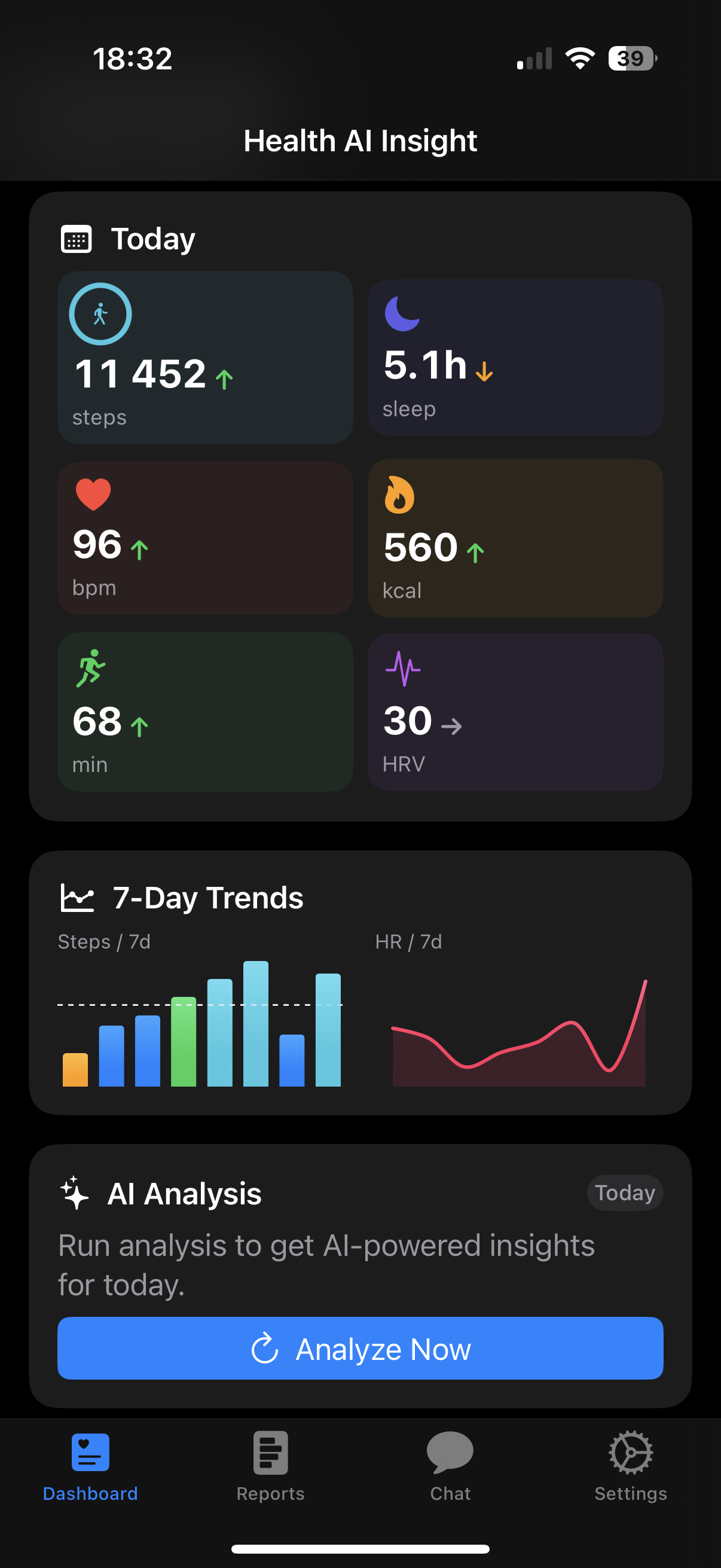
Connect Apple Health
Grant HealthKit permission in one tap. All your existing data — activity, sleep, heart metrics — is available instantly.
Share health data
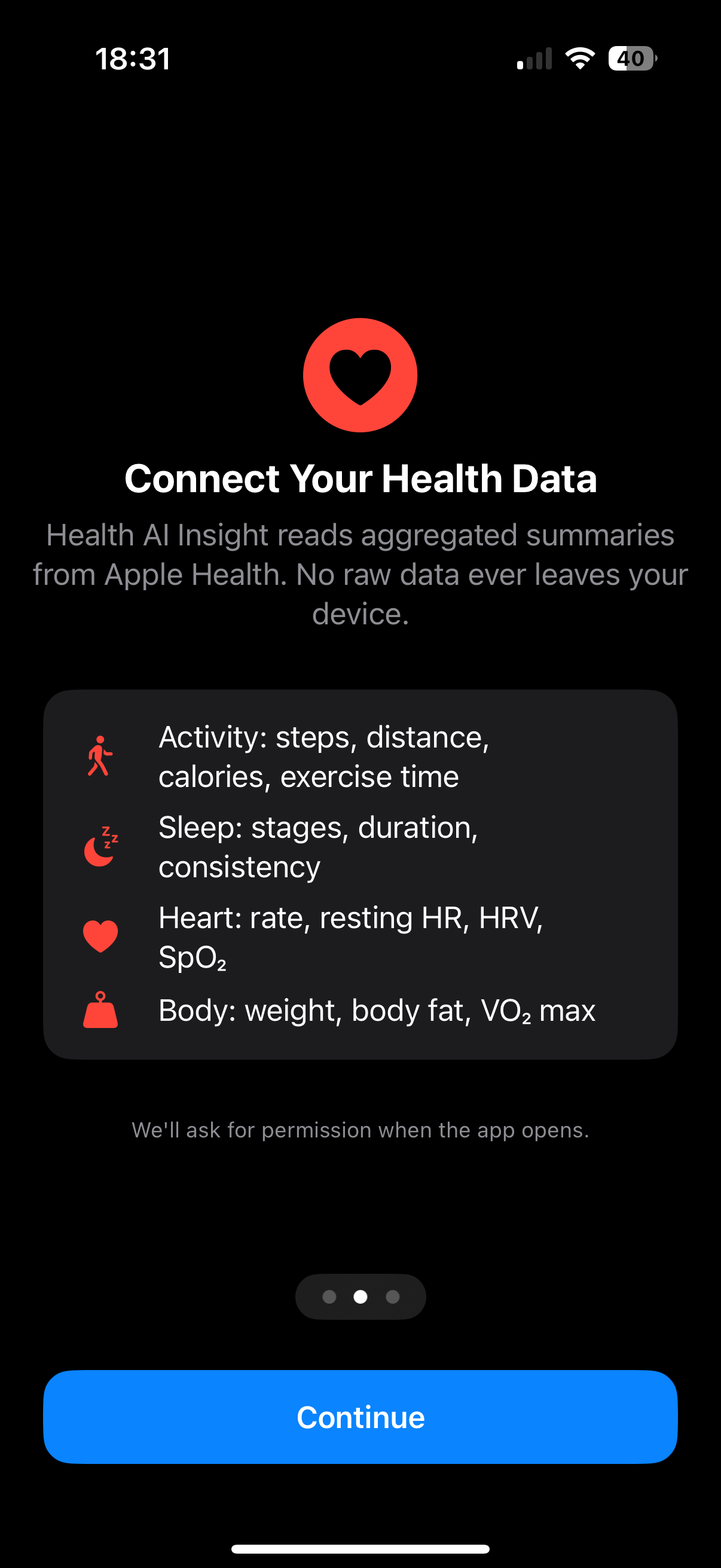
Give consent to sharing aggregated health summaries with the selected AI service to generate insights. You can revoke consent at any time in Settings.
Get a report every week
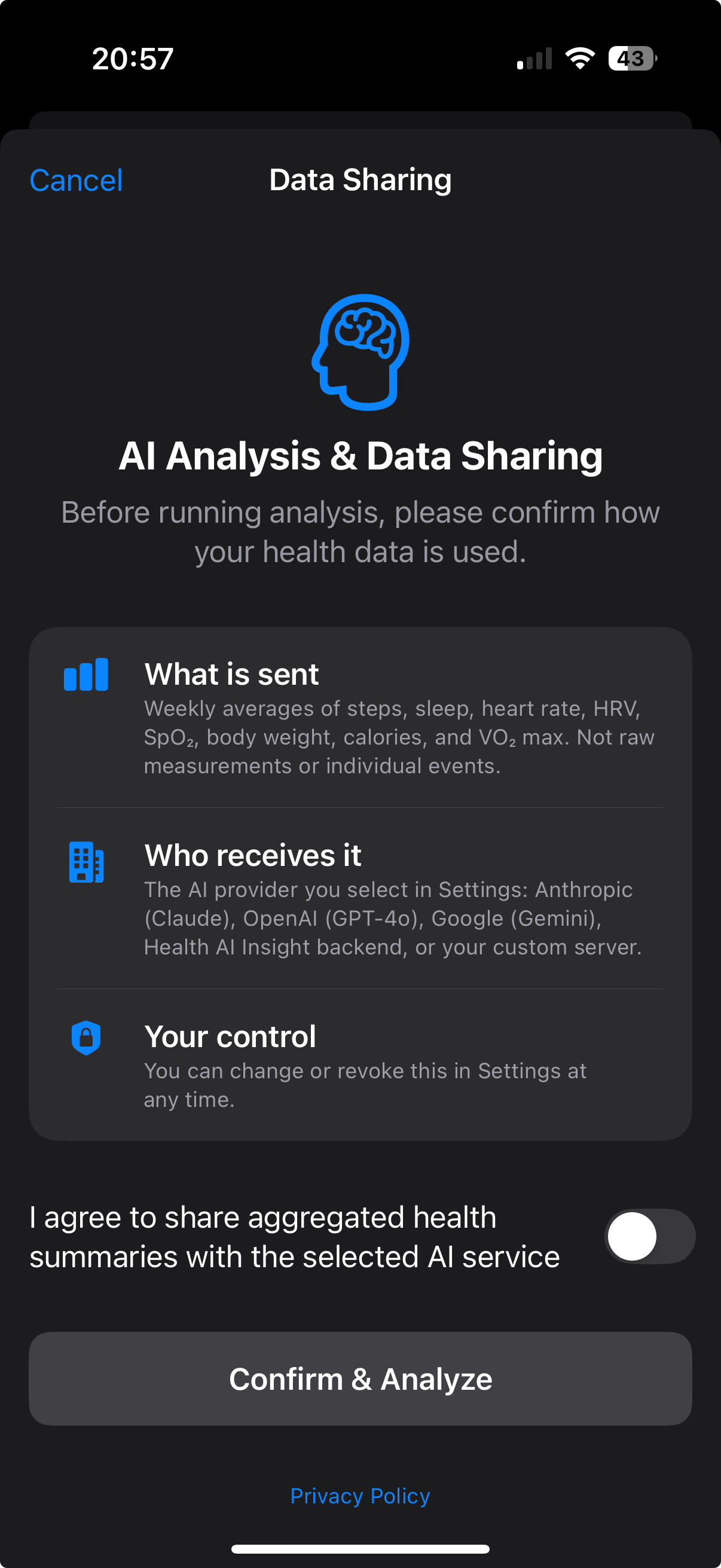
Your weekly report is generated on its own — on every plan, including Free. It tells you what changed since last week and what drifted from your personal baseline.
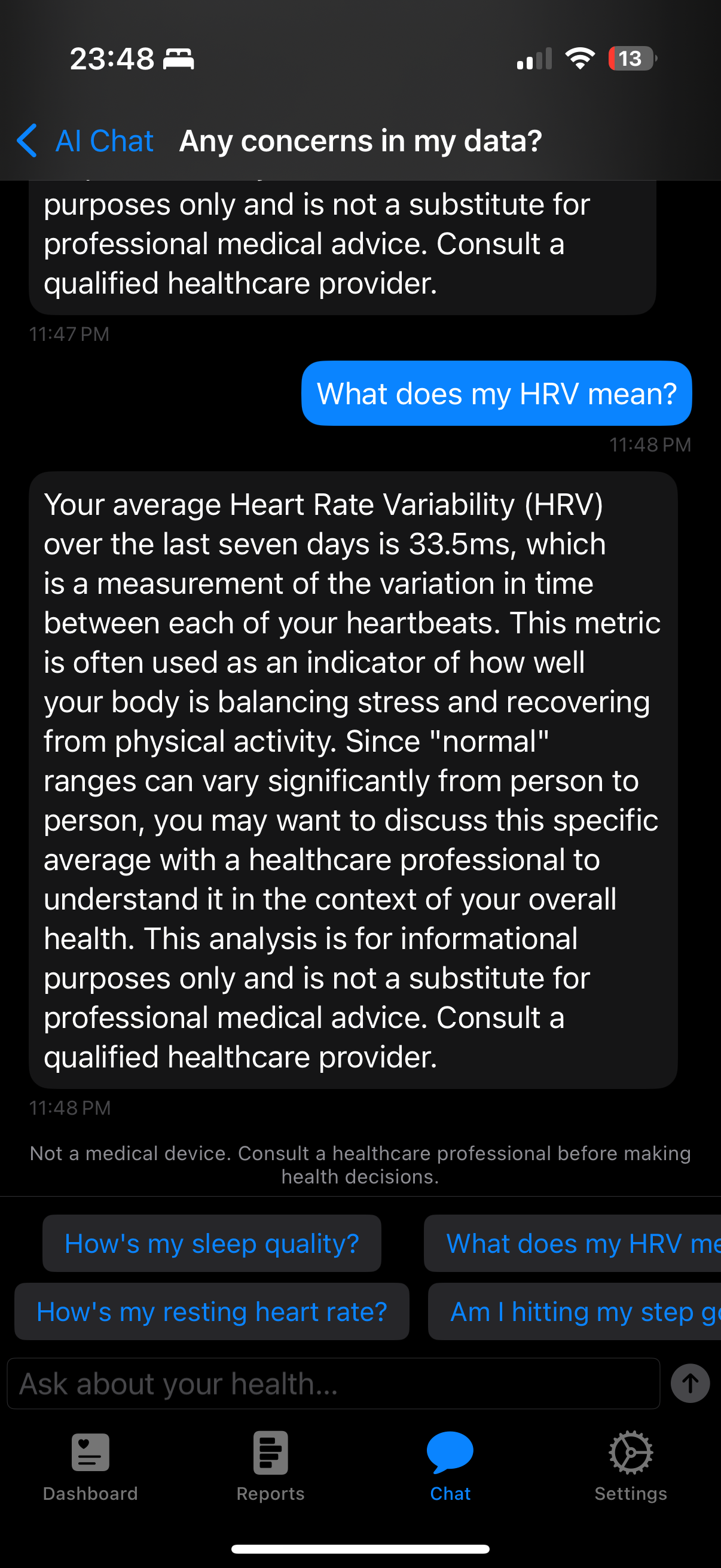
Ask in plain language
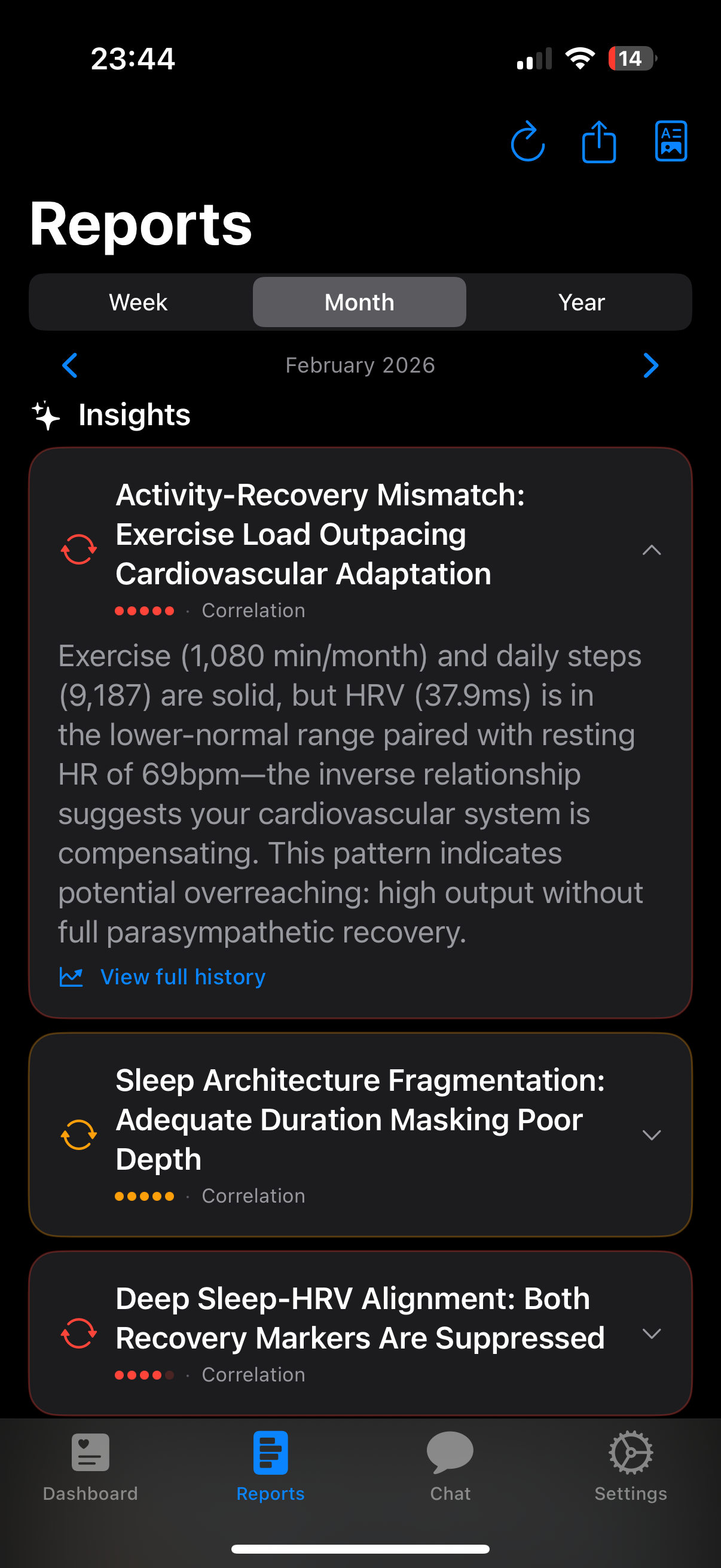
Type "Why was my sleep poor last week?" or "What affects my HRV?" and get clear, data-backed answers in chat.
Everything you need to understand your health
Powered by Apple HealthKit. Explained by AI.
Activity
Steps, active calories, workouts, and exercise trends — all in one view with AI-powered progress analysis.
Learn more →Sleep & Mindfulness
Sleep stages, quality scores, and mindfulness minutes correlated with your recovery and next-day performance.
Learn more →Heart & Cardiovascular
HRV, resting heart rate, blood oxygen, and respiratory rate — understand what drives your cardiovascular health.
Learn more →Body Measurements
Weight, BMI, body fat, and lean mass trends tracked over time with contextual AI insights.
AI Correlations
The AI finds hidden connections across all your metrics — spot what actually affects your energy and recovery.
Learn more →Your Personal Baseline
The app learns what is normal for you, then flags when a metric drifts away from your own norm — no need to open the app to find out (paid plans).
Life Context Diary
Rate your day in one tap and mark what was going on — travel, illness, stress. Your weekly report reads the numbers with that context instead of guessing at it.
Your Day, Hour by Hour
The daily check-in reads the shape of your day — when you moved, your longest still stretch, how your heart rate answered — and last night as a sequence, not one number.
Your Days
Every day you recorded, next to the AI analysis of that same day, with a month calendar to jump straight to a date.
What makes it different
Your normal, not a textbook range
A resting heart rate of 58 means nothing on its own. Health AI Insight builds a personal baseline from your own history and reads every number against it.
Each report remembers the last one
Reports do not restart from scratch every week. They pick up where the previous one left off — what changed, what held steady, and whether an earlier suggestion actually moved your numbers.
Plain language, not another dashboard
No medical jargon and no wall of charts to decode. You get a short read on what changed and what is worth your attention — and you can ask follow-up questions in your own words.
Your health data is yours
"Health AI Insight" reads data directly from Apple HealthKit on your device. Any Health records are never uploaded to our servers. When AI analysis is needed, only an anonymised, encrypted summary is sent to LLM providers directly — and you can use your own API key so it never even touches our infrastructure. We do not sell or share your health data. Ever.
Frequently asked questions
What health metrics can "Health AI Insight" analyze? ↓
Any data in Apple Health: steps, active calories, HRV, resting heart rate, sleep stages, blood oxygen, respiratory rate, body weight, BMI, mindfulness minutes, and more. New categories are added with each update.
Does "Health AI Insight" work with Apple Health? ↓
Yes — it integrates directly via HealthKit. All your existing data is available immediately after granting permission. No manual import needed.
How does the AI analyze my health data? ↓
A large language model (Claude, GPT or Gemini) receives an anonymised summary of your metrics and finds patterns, trends, and correlations. Results are personalised to your data, not generic advice.
Is my health data safe? ↓
Raw health records never leave your device. The AI receives only an encrypted, anonymised summary. With BYOK mode your data goes directly to the AI provider you choose — it never passes through our servers at all.
Can I use my own OpenAI or Anthropic key? ↓
Yes. Bring Your Own Key (BYOK) mode lets you paste your OpenAI or Anthropic API key. Your summaries then go straight from your device to that provider under your own account — we set no limits of our own, and you pay the provider directly for what you use.
Can I use my own self-hosted LLM? ↓
Yes. Bring Your Own Key (BYOK) mode lets you point the app at your own self-hosted, OpenAI-compatible endpoint. Your data never reaches our infrastructure, and you decide which model or provider processes it.
Do I have to run an analysis every time? ↓
No. Your weekly report is generated automatically on every plan, including the free one, and its notification opens it on the insight that matters most. Manual analyses and follow-up questions stay available for when you want to dig deeper.
What are baseline alerts? ↓
The app builds a personal baseline for each metric from your own history — your normal, not a textbook range. On paid plans it tells you when a metric stays outside that personal norm. It is a signal worth a look, not a medical diagnosis.
Is "Health AI Insight" free? ↓
Yes — the free plan covers the dashboard, your metrics and one automatic weekly report, with four weeks of history. Plus adds alerts when a metric drifts from your personal norm, full history and trends, report memory, detailed analysis and PDF export. Pro adds AI chat about your data. Lifetime is a one-time purchase that runs the app on your own API keys.